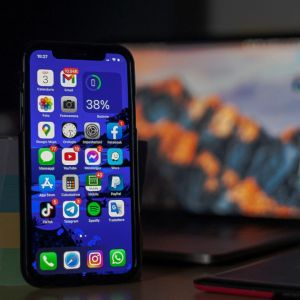
Apple has rolled out iOS 26, a major upgrade to its operating system that landed the same week it introduced the new iPhone lineup, including the iPhone Air, its thinnest model yet. The company said the update is available to download now, and according to Apple, it delivers a completely redesigned look called Liquid Glass, plus new tools like live translation, updated Messages effects, and a feature that saves your spot in line when you’re put on hold. Apple Intelligence also gained new abilities, but the much-talked-about smarter Siri is still not here. The software had been tested since June in beta form. Testers noted from the start that Liquid Glass would be the most obvious change, with the interface replacing flat designs with transparent, glass-like surfaces. Every feature in the new system was fine-tuned over the months leading up to release, and Apple is presenting iOS 26 as one of the most significant visual updates in years. Apple releases Liquid Glass design Liquid Glass alters the way menus, icons, and backgrounds appear. Menus now shine with a transparent window effect, while app icons have been turned into frosted tiles with faint colors. Even third-party apps had their logos reshaped into this design. Apple showed the way Liquid Glass reacts when touched. In Apple Music, a droplet moves between tabs as users tap them. Scrolling bends and twists the background image behind the menus, producing a refracted look. Users can make icons fully transparent, which allows wallpapers to show clearly. This Clear option is accessible by holding down on the home screen, tapping Edit, then Customize. Clear is available in both Light and Dark modes. Apple tested different versions of Liquid Glass during the beta, sometimes brightening the effect, sometimes making it more subtle. The company settled on a balance between clarity and usability. But the new transparency makes text harder to read for some people. Settings offer fixes for this problem. In Accessibility > Display & Text Size, the Reduce Transparency toggle decreases see-through visuals, while Increase Contrast thickens borders and strengthens backgrounds. Movement in Liquid Glass can also be reduced. In Accessibility > Motion, a Reduce Motion option removes the bouncing and wiggling of elements. But switching this on disables other animations across the system. The company said these adjustments were added to make sure people who dislike the effects can scale them back. Despite all the design changes, the way the phone functions stays the same. iOS 26 also expands functionality. Live translation lets users break language barriers without needing an app. Messages gained new visual effects, and the on-hold feature keeps your place in line when calling customer service. These features are included across the update and are live today. Chats now come with background customization. Users can open a conversation, tap the participant’s name or the group chat title, then select the Backgrounds tab. Six options are included. Photo allows images from the device’s photo library. Playground generates original artwork using Apple Intelligence. Color, Sky, Water, and Aurora are animated designs that move gently while you chat, and each has variations. But these backgrounds can only be applied if the other person is saved in Contacts. KEY Difference Wire : the secret tool crypto projects use to get guaranteed media coverage